Skip to content

For plumbing companies

Plumbing software for the call that can't wait.

A burst pipe doesn't leave a voicemail. Tandem answers it, gets the right plumber there, prices the fix on the spot and collects before the truck pulls away.

  • 14-day free trial
  • No card needed
  • No contract or setup fee
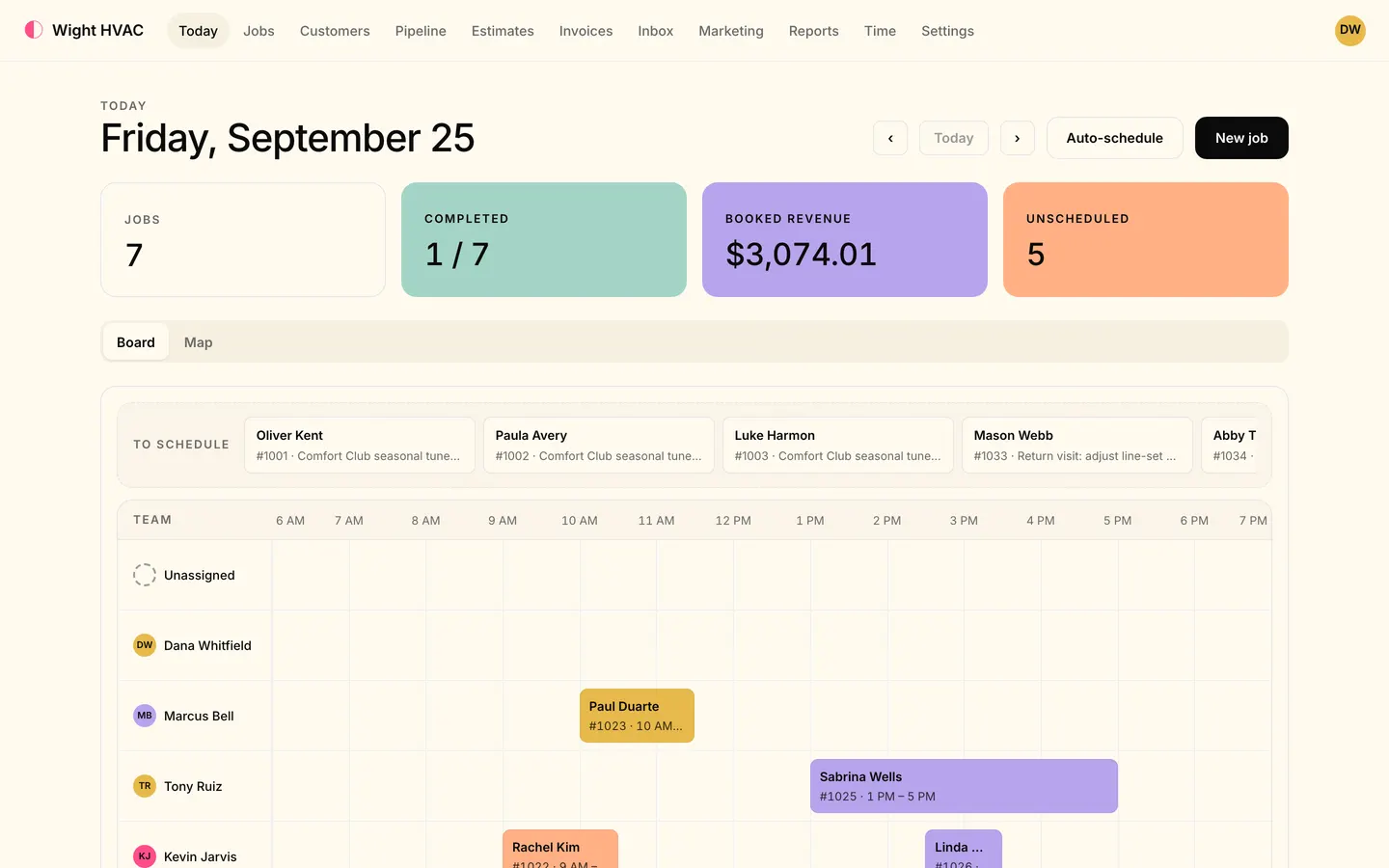
Today in the office app: the day's jobs, booked revenue, the To schedule tray and the dispatch board with each technician's jobs laid out by hour.
  • Answered, not missed Calls and texts answered by the AI receptionist or rung through to your team, with voicemail behind them.
  • Priced on the spot A starter plumbing price book and options the homeowner signs on the phone.
  • Paid before you leave Card or bank payment from a text, a saved card, or cash and check with no signal.

Emergency calls

The 9 PM call, answered and handled.

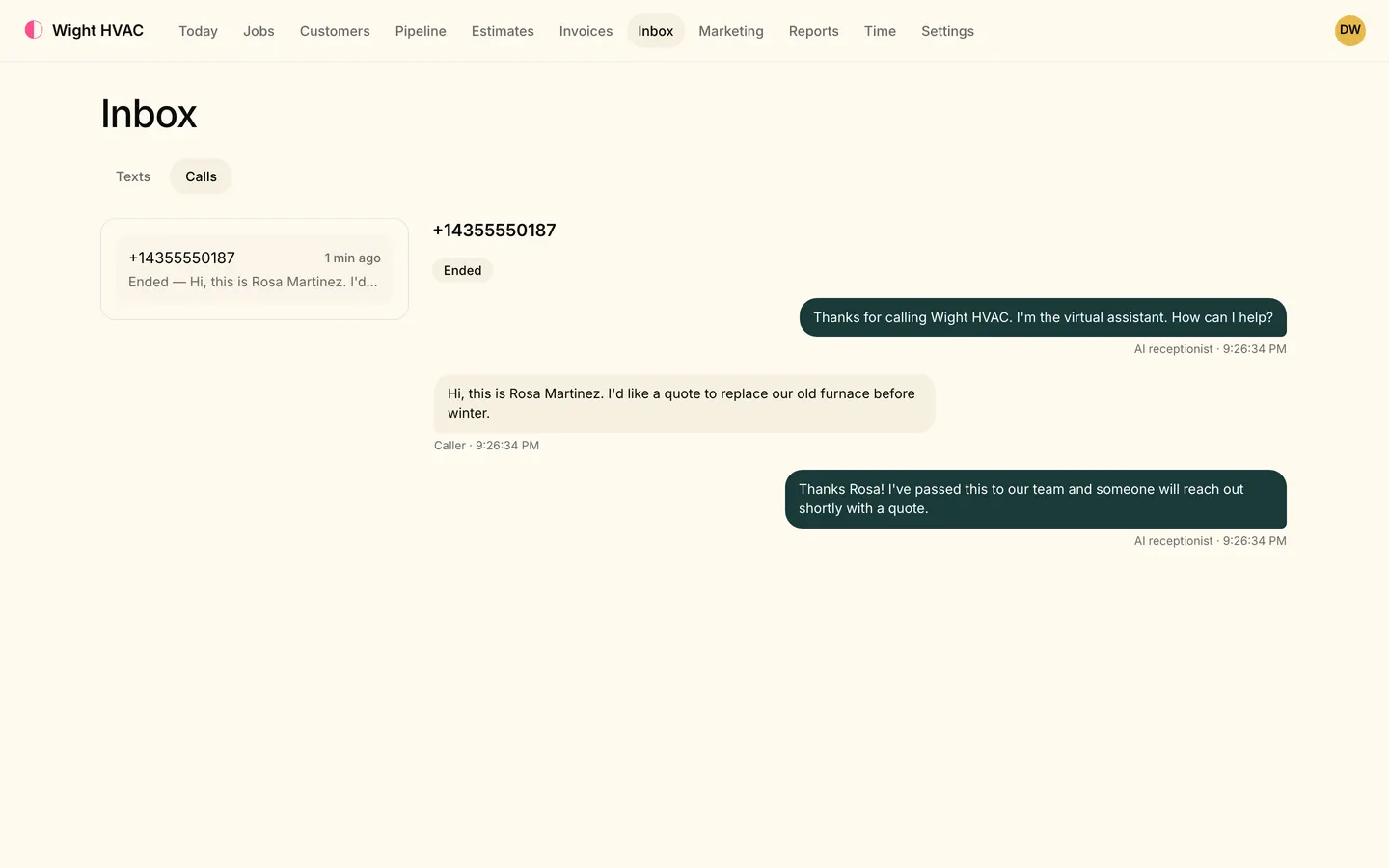
The AI receptionist picks up, finds the caller on file, books an open window or takes the details and passes the call to whoever is on call: the office, a fallback number you choose, or voicemail, with the reason written on the call.

  • Looks up the caller by number and answers questions about their own appointments and invoices
  • Books open arrival windows by your booking rules, or logs the lead for a person to call back
  • Hands over to your team, a fallback number or voicemail, and you read every transcript in Inbox → Calls
  • Texts answered in your customer's language, English or Spanish
On Level
Inbox, Texts tab: Jenna Ellis texts that the furnace bangs when it kicks on and asks for Tuesday; the AI receptionist offers 7:00–9:00 or 9:00–11:00 AM, Jenna picks 9:00, and it replies that she's booked.

Dispatch

The right plumber, the shortest drive.

Drag a job onto the live board, or let auto-schedule place the waiting ones by skill, drive time and workload. A double booking names the clash before you make it, and the board stretches for the 1 AM emergency.

  • Required skills as a hard match, so a sewer job goes to someone who does sewers
  • Optimize route re-orders a plumber's day by drive time and keeps the windows you promised
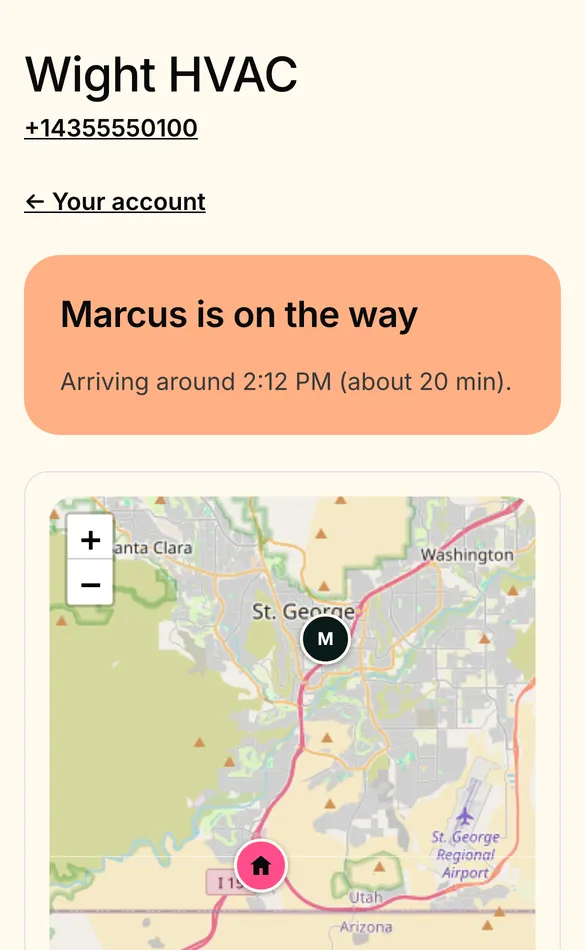
  • On-my-way texts with a live map and arrival time
  • Crews of several plumbers on one job, each recording their own time
A customer's phone: 'Kevin is on the way, arriving around 4:30 PM (about 5 min)' with Call and Text buttons, above a live map showing the technician and the service address.

Estimates

Tank or tankless? Let them choose.

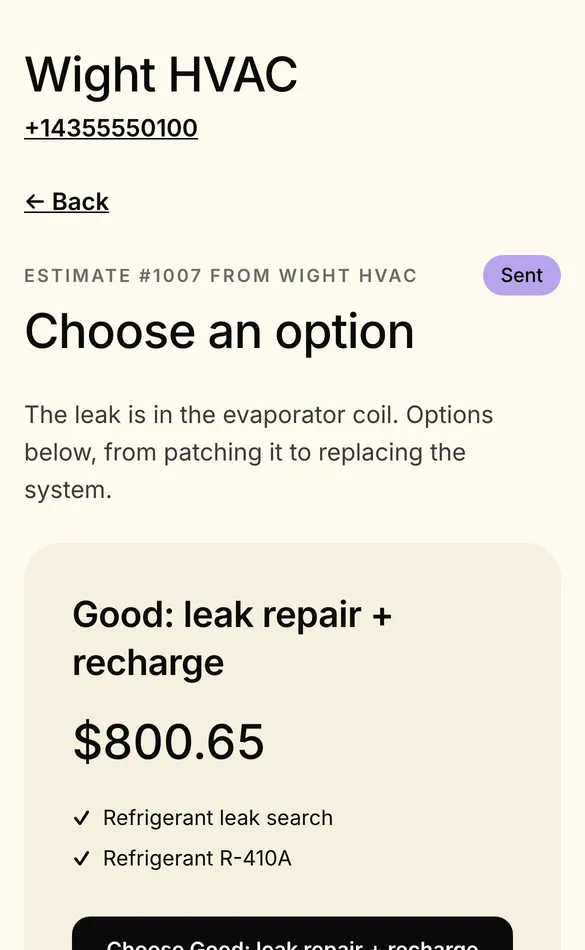
Put the repair, the 50-gallon replacement and the tankless upgrade side by side, each priced from your price book, and let the homeowner pick and sign. Before-and-after photos stay on the job.

  • A starter plumbing price book: trip charges, drain clearing, camera inspections, water heaters and fixtures
  • Options priced independently, a deposit, and a discount in dollars or percent
  • Signed on the customer's phone or the plumber's, offline too
  • Follow-ups that stop once the customer answers
A customer's phone showing estimate #1003 from Wight HVAC, Choose an option, starting with Good: leak repair and recharge for $800.65.

Also in the box for plumbing shops.

Recurring work

Yearly water heater flushes or monthly commercial visits, booked ahead and confirmed to the customer.

Checklists and job forms

Photos, signatures and typed fields, attached by tag or price-book item, and able to block finishing a job.

Two-way texting

Every customer conversation in one Inbox, and plumbers text from the business number in the tech app.

On Crew or Level

Leads from Google, Angi and Thumbtack

Intake links that drop marketplace leads straight into your pipeline.

On Crew or Level

A plumbing website

Start from a plumbing starter on its own template and edit the site right on the page.

On Crew or Level

Memberships

Service plans with member discounts and the maintenance visits created for you.

On every plan

Not yet, to be straight with you

  • Customer financing and Tap to Pay on the phone are on the way, not available yet.
  • Moving your existing phone number to Tandem isn't done in the app yet.

One flat price for your team size.

Every feature on this page is in the plan, unless it says which plans have it. No add-ons to price out.

  • Solo $59/month 1 people included
  • Crew $149/month 5 people included
  • Level $299/month 15 people included

Every plan starts with a 14-day free trial. Pay yearly and get two months free.

Compare plans

Plumbing software: questions

Can Tandem answer emergency calls after hours?

Yes, with the AI receptionist (on Level). It answers, looks the caller up, books an open window or logs the lead, and hands the call over when it should: to your team, to a fallback number such as whoever is on call, or to voicemail, with the reason on the call. Level includes 1,000 AI minutes a month, then $0.29 a minute.

The AI receptionist

Does it come with a plumbing price book?

Yes: a starter flat-rate plumbing price book with service calls, drains, camera inspections, water heaters and fixtures, with labor minutes, adjusted by a market multiplier. Edit it, add pictures, or import your own.

Can my plumbers work without signal?

Yes. Today's and tomorrow's jobs are saved on the phone ahead of time. With no signal, plumbers can add photos, fill checklists, build and sign estimates, make and edit invoices and take cash or check; everything syncs when the signal is back. Card payment links need signal.

Can customers pay on the spot?

Yes. Send a pay link by text or email and the customer pays by card or bank transfer from their phone, with a tip if they like; or charge a card they saved; or record cash or check. Payments go through your own Stripe account. Tap to Pay on the phone isn't available yet.

How much does plumbing software cost with Tandem?

Solo is $59 a month, Crew $149 and Level $299. Pay yearly and get two months free. Every plan starts with a 14-day free trial with no card, and there's no contract or setup fee.

See pricing

Can I bring my customers over from Housecall Pro or Jobber?

Yes, on every plan. Export your customers, price book and job, estimate, invoice and payment history as CSV or Excel and import them under Settings → Import. You see every row, and any customer you already have, before anything is saved, and nothing is texted, emailed or charged to your customers.

How switching works

More jobs. Paid faster.

Try it on your next job, with your own customers and your own price book.

  • 14-day free trial
  • No card needed
  • Bring your customers from Housecall Pro or Jobber