Skip to content

For electrical contractors

Electrical contractor software, from service call to panel upgrade.

Swap a GFCI at nine, quote a 200-amp panel at eleven, start a three-day remodel tomorrow. Tandem prices, schedules and bills all of it, and keeps each job with the electrician qualified to do it.

  • 14-day free trial
  • No card needed
  • No contract or setup fee
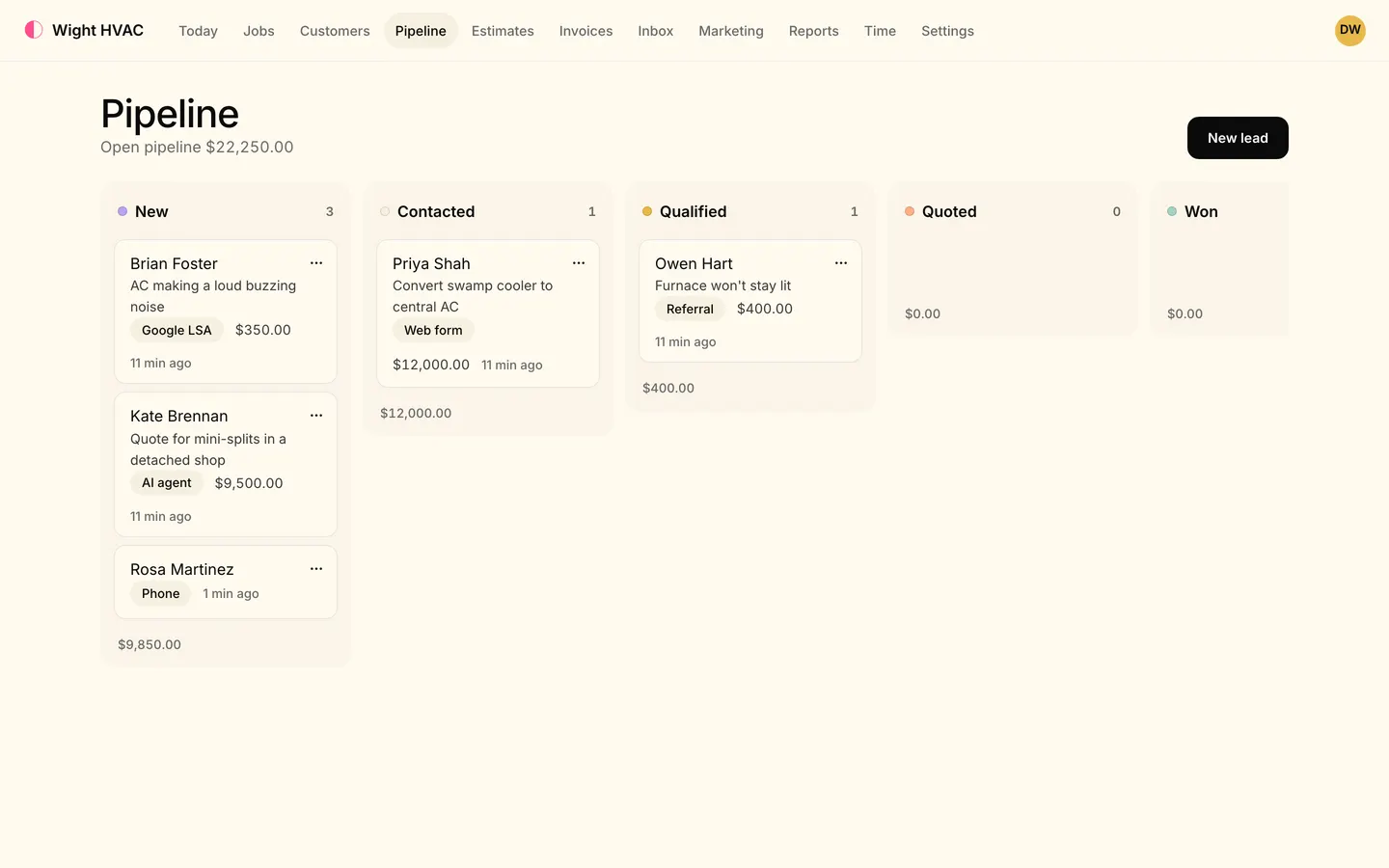
The Pipeline board: leads in New, Contacted, Qualified and Quoted columns, each card showing the customer, the job, its source (Phone, AI agent, Google LSA, Web form, Referral) and its value.
  • Big jobs, priced right Panel upgrades and EV chargers as options, with deposits and progress billing.
  • The right license on the job Required skills keep each job with someone qualified to do it.
  • Multi-day work, one bill Visits over several days and crews of several electricians, billed on the job.

Big-ticket estimates

The panel, the charger, and the surge protector.

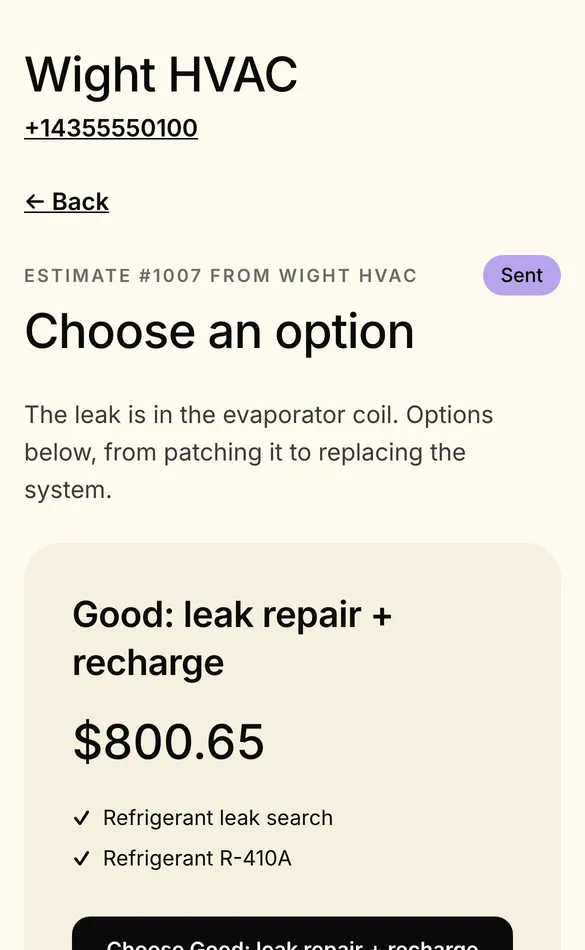
Offer the 200-amp panel on its own, with a Level 2 EV charger circuit, and with whole-home surge protection, each priced from your price book. The customer picks one, signs and pays the deposit from their phone.

  • A starter electrical price book: diagnostics, devices, fixtures, fans, breakers, panels, EV circuits and surge protection
  • Options priced independently, with a deposit invoice that's credited on the final bill
  • Signed on the customer's phone or the electrician's, offline too
  • Follow-ups that stop once the customer answers
A customer's phone showing estimate #1003 from Wight HVAC, Choose an option, starting with Good: leak repair and recharge for $800.65.

Dispatch by skill

Journeyman work goes to a journeyman.

Give jobs the skills they need and your people the skills they have. Auto-schedule only places a job with someone who matches, and the board warns you when the electrician you picked doesn't.

  • Required skills as a hard match in auto-schedule, with drive time and workload
  • A warning when you assign someone without the job's skills
  • Optimize route by drive time, keeping arrival windows and fixed jobs
  • On-my-way texts with a live map and arrival time
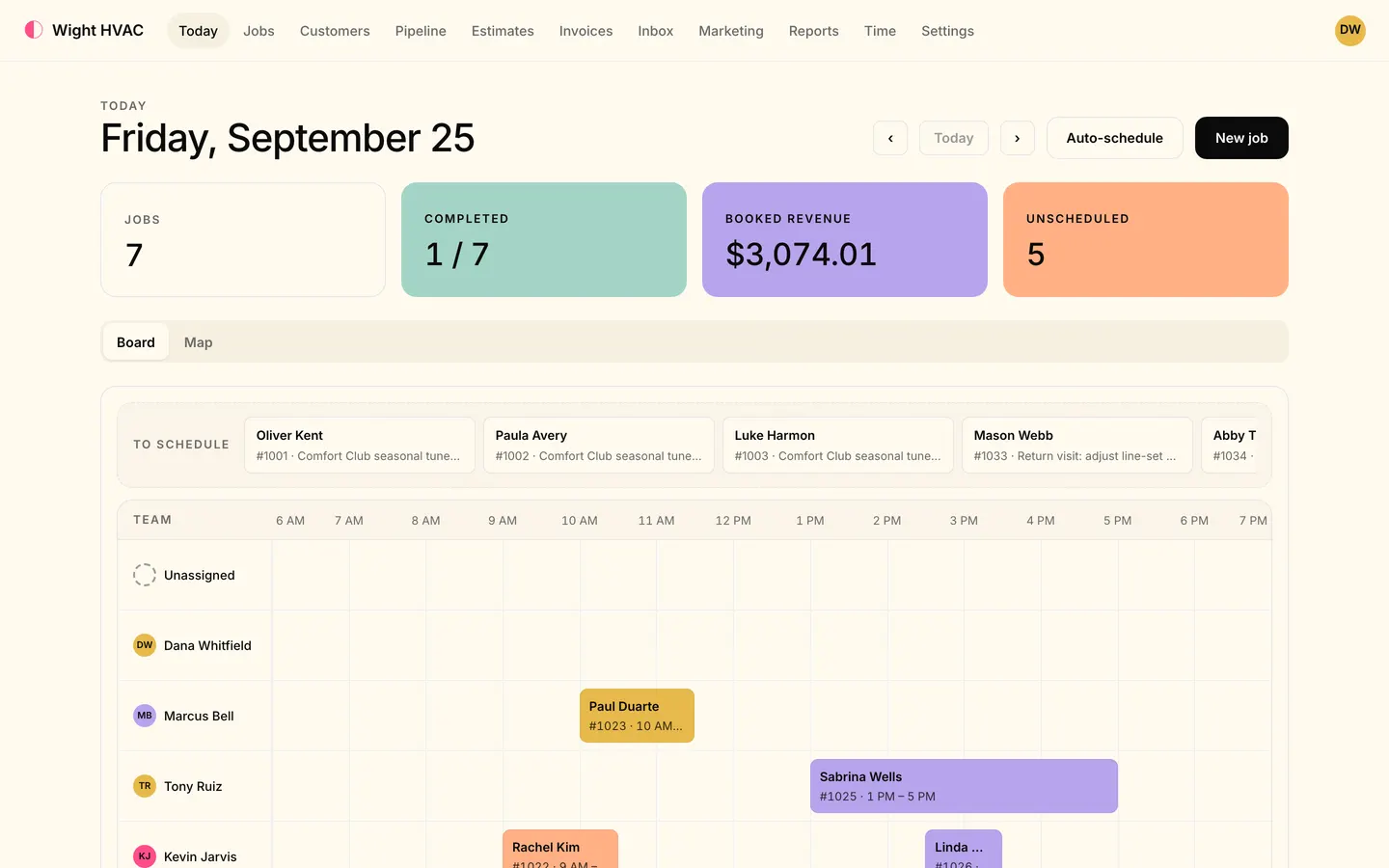
Today in the office app: the day's jobs, booked revenue, the To schedule tray and the dispatch board with each technician's jobs laid out by hour.

Multi-day jobs

Three days, two electricians, one invoice.

Spread a job over several visits, put a crew on it, and bill it in stages: a deposit up front, progress bills by percent of the job, and the balance at the end.

  • Visits scheduled, dispatched and confirmed like any job, billed on the parent job
  • Crews of several electricians, each recording their own time
  • Progress billing by percent of the job, with the deposit credited
  • Job costing with labor, so you see what the job really made
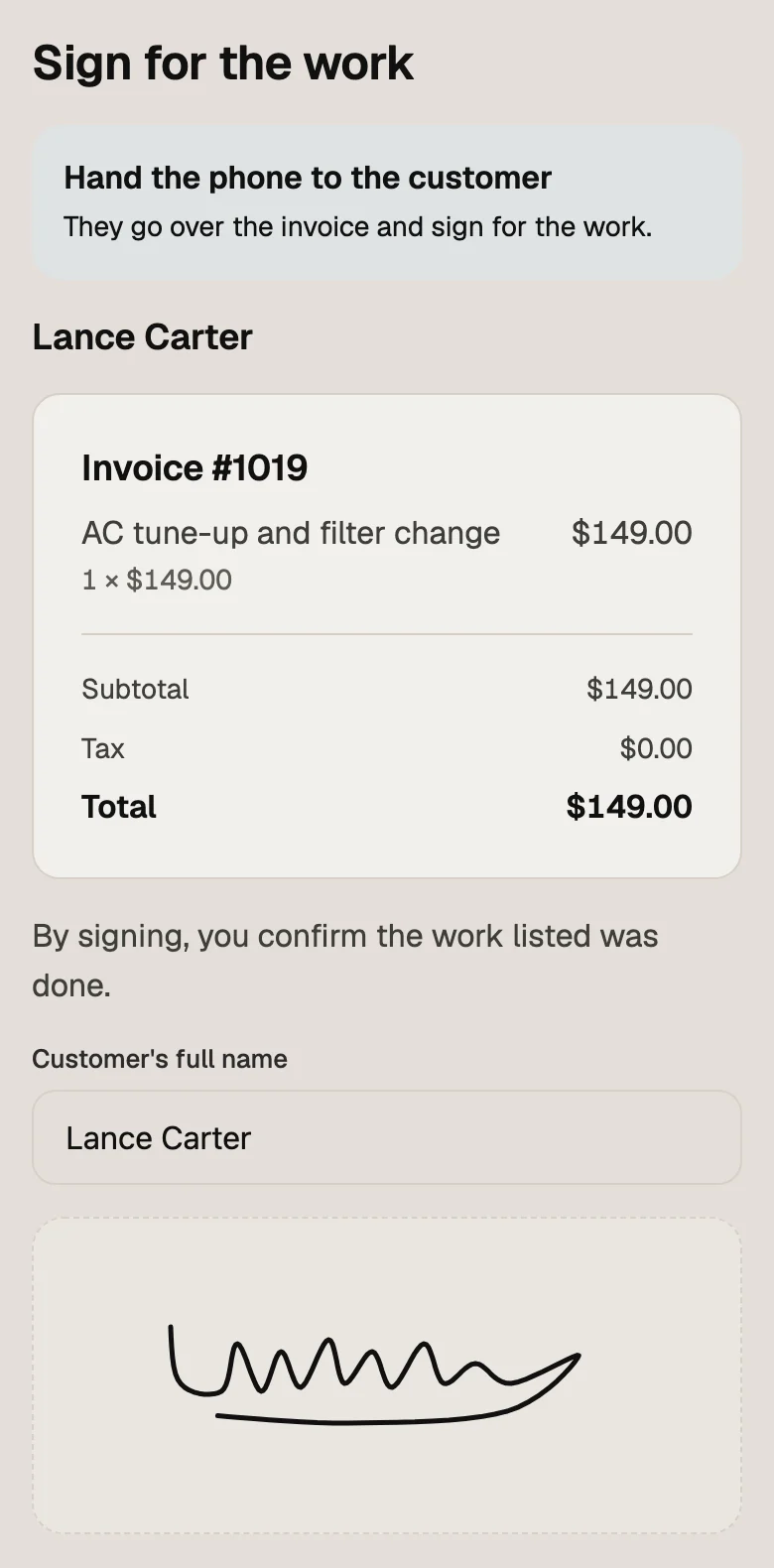
Sign for the work in the tech app: invoice #1019, an AC tune-up and filter change for $149.00, with Lance Carter's name and signature.

Checklists

Your safety checklist, on every job that needs it.

Build checklists and job forms with typed fields, photos and signatures, attach them automatically by tag or price-book item, and decide which ones must be filled before a job can be finished.

  • Typed fields, photos and signatures
  • Attached automatically by tag or price-book item
  • Can block finishing a job until it's filled
  • Filled in the tech app, offline too, or in the office
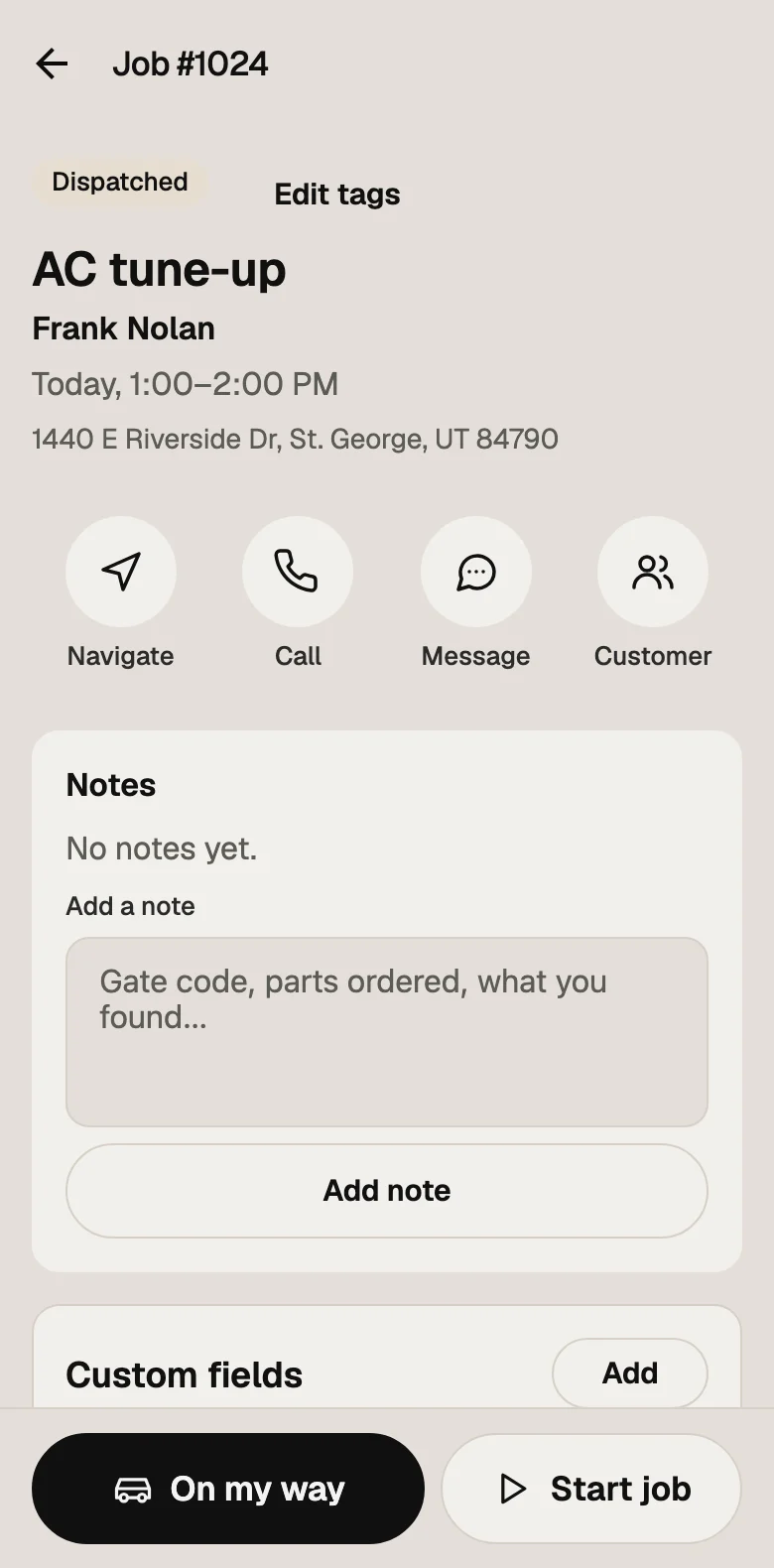
Job #1024 in the tech app: Frank Nolan's AC tune-up and address, buttons to navigate, call or message, and the job's notes.

Also in the box for electrical shops.

AI receptionist

Answers calls and texts, books open times and hands over to your team.

On Level

Online booking

A booking page with arrival windows and the services you choose.

On Crew or Level

An electrical website

Start from an electrical starter on its own template and edit the site right on the page.

On Crew or Level

Timesheets and payroll export

Drive and job time from job status, overtime rules, commissions and a payroll CSV.

QuickBooks Online

Customers, invoices and payments synced.

On Crew or Level

More than one location

Branches with their own team, schedule and customers, reported together.

On Crew or Level

Not yet, to be straight with you

  • Customer financing and Tap to Pay on the phone are on the way, not available yet.
  • There's no permit tracking or inventory of parts on the truck yet.

One flat price for your team size.

Every feature on this page is in the plan, unless it says which plans have it. No add-ons to price out.

  • Solo $59/month 1 people included
  • Crew $149/month 5 people included
  • Level $299/month 15 people included

Every plan starts with a 14-day free trial. Pay yearly and get two months free.

Compare plans

Electrical contractor software: questions

Is Tandem a good fit for electrical contractors?

Tandem is built for residential and light commercial service shops of one to about fifteen people: service calls, estimates with options, multi-day jobs, crews, dispatch by skill, invoicing and payments. It doesn't track permits or truck inventory yet, so a shop that lives on those should know that before switching.

Can I bill a panel upgrade in stages?

Yes. Take a deposit when the estimate is signed (it's credited on the final bill), send progress bills by percent of the job, and invoice the balance when the work is done.

Can I keep certain jobs with licensed electricians?

Yes. Give a job the skills it requires and each person the skills they have. Auto-schedule only places a job with someone who has every required skill, and the board warns you if you pick someone who doesn't.

Is there an electrical price book?

Yes: a starter flat-rate electrical price book with diagnostics, devices, fixtures, ceiling fans, breakers, 200-amp panel upgrades, Level 2 EV charger circuits and surge protection, with labor minutes, adjusted by a market multiplier. Edit it or import your own.

How much does electrical contractor software cost with Tandem?

Solo is $59 a month, Crew $149 and Level $299. Pay yearly and get two months free. Every plan starts with a 14-day free trial with no card, and there's no contract or setup fee.

See pricing

Can I bring my customers over from Housecall Pro or Jobber?

Yes, on every plan. Export your customers, price book and job, estimate, invoice and payment history as CSV or Excel and import them under Settings → Import. You see every row, and any customer you already have, before anything is saved, and nothing is texted, emailed or charged to your customers.

How switching works

More jobs. Paid faster.

Try it on your next job, with your own customers and your own price book.

  • 14-day free trial
  • No card needed
  • Bring your customers from Housecall Pro or Jobber