Skip to content

Estimates

Estimates with good, better and best options. Signed on the spot.

Build options from your price book in the office or in the driveway, send them by text or email, and let the customer choose, sign and pay the deposit from their phone. The job is booked the moment they approve.

  • 14-day free trial
  • No card needed
  • No contract or setup fee
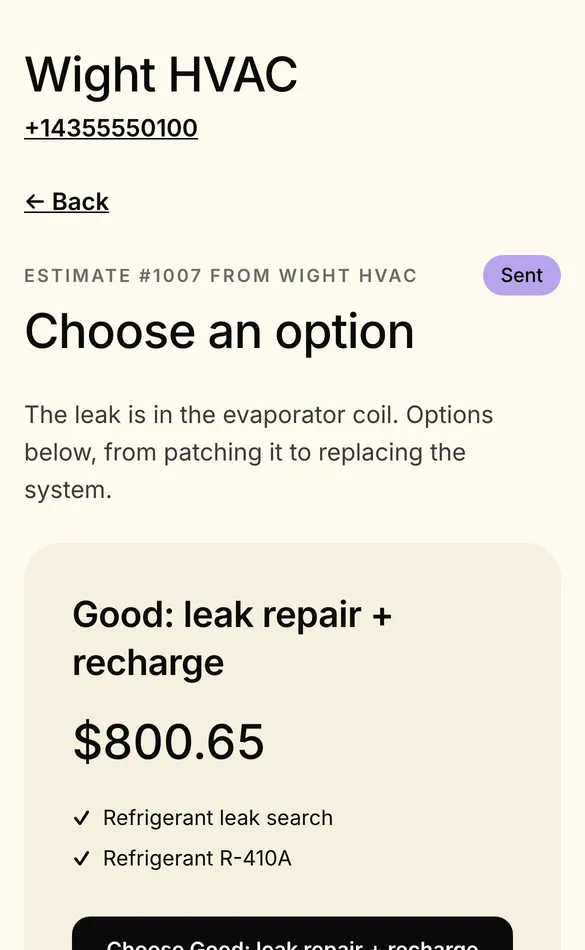
A customer's phone showing estimate #1003 from Wight HVAC, Choose an option, starting with Good: leak repair and recharge for $800.65.
  • Options that sell Each option priced on its own, with pictures from your price book.
  • Signed and deposited Typed or drawn signature, and a deposit invoice in the same step.
  • Follow-up on autopilot Reminders that stop as soon as the customer answers.

Options

Let the customer choose the bigger ticket.

Put the repair, the upgrade and the premium option side by side. Each is priced from your price book with its own lines, tax, total and deposit, so the customer compares real numbers, not a single take-it-or-leave-it price.

  • Options priced independently, with a discount in dollars or percent
  • Item pictures on the customer's estimate page when you turn them on
  • Starter price books for HVAC, plumbing and electrical, or your own imported
  • Edit a sent estimate and the customer's link shows the new version
A customer's phone showing estimate #1003 from Wight HVAC, Choose an option, starting with Good: leak repair and recharge for $800.65.

In the field

Built in the driveway, even with no signal.

Techs build and price estimates in the tech app from the whole price book, offline too, and have the customer sign on the tech's phone or send the link to theirs.

  • Price-book items, custom lines, a discount, the service address, a deposit and a valid-until date
  • Signed on the tech's phone, or marked declined, offline too
  • Told what stops saving and asked before unsaved work is thrown away
  • Approval books the job with the option the customer chose
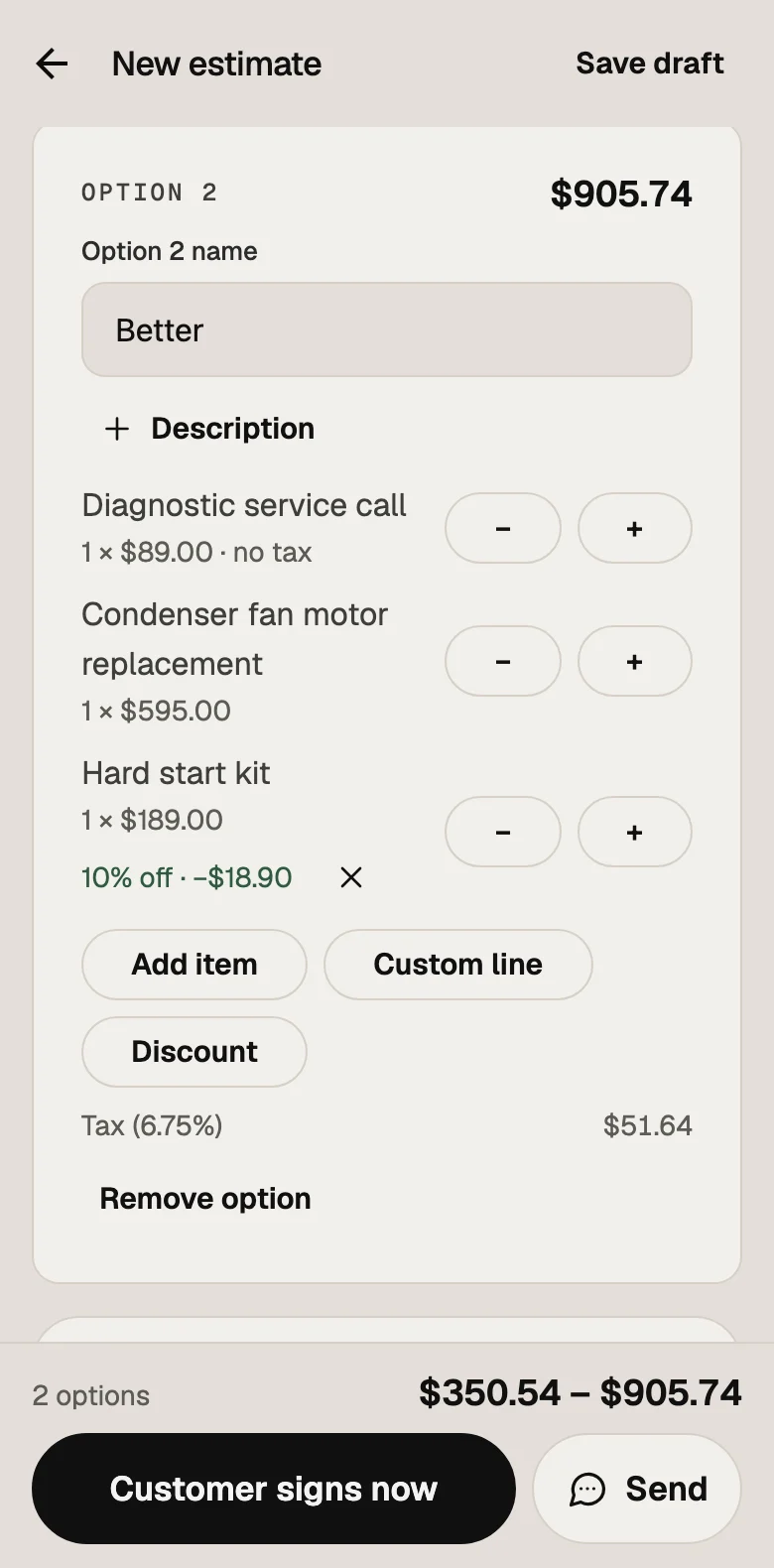
An estimate draft in the tech app: option 2, Better, with three price-book lines and 10% off the hard start kit.

Estimates by voice

Say it. The estimate builds itself.

In the tech app, say "an HVAC tune-up and a capacitor, and two filters, 10% off the capacitor" and the estimate opens filled in from your price book, ready to check and send. It understands Spanish too, and matches what's meant, not just the exact name.

  • Prices always come from your price book, never made up
  • Items matched by meaning: "the thing that makes the outside unit start" finds the hard start kit
  • Works for invoices too
  • Switched on by the owner
On Level
An estimate draft in the tech app: option 2, Better, with three price-book lines and 10% off the hard start kit.

Closing

Approved, deposited, on the board.

The customer opens the estimate from a text or email, picks an option, signs with their finger or by typing, and pays the deposit by card or bank transfer. Their answer moves the lead to won or lost in your pipeline.

  • Typed or drawn e-signature, recorded with the IP address and device
  • A deposit invoice credited on the final bill
  • Follow-up automations that stop once the customer acts
  • Expired estimates move to their own tab on the date you set
A customer's phone showing invoice #1011 with $1,466.63 due, tip options (no tip, 10, 15 or 20%), Pay by card and Pay from bank account.

Around the estimate.

Lead pipeline

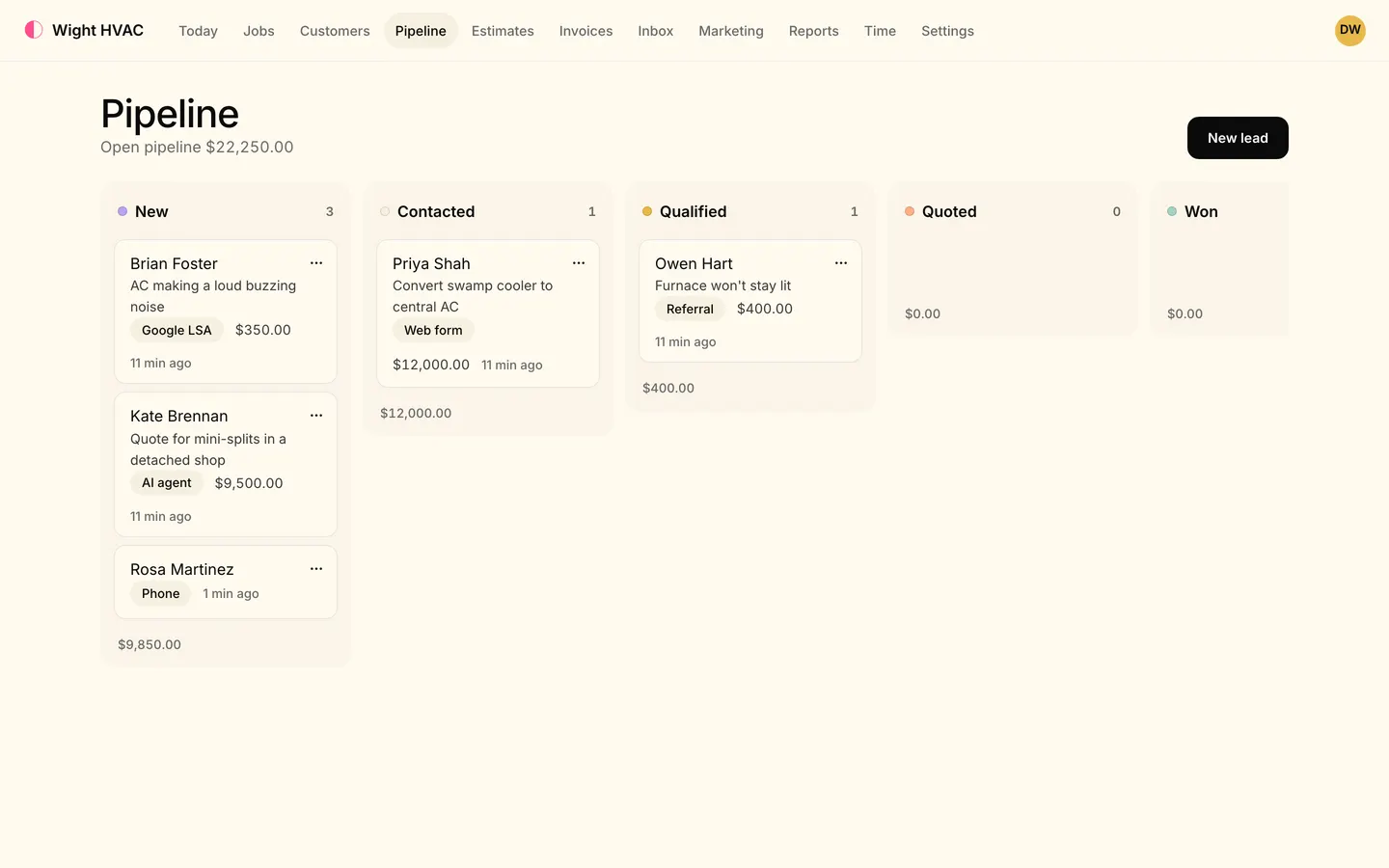
Win a lead and draft the estimate in one step; the answer moves it to won or lost.

Estimate follow-up

A ready-made automation that texts and emails until the customer acts.

On Crew or Level

Customer portal

Every estimate and invoice a customer has, in one place, with a sign-in link by text or email.

Invoices from the job

Approval creates the job with the chosen option's lines, ready to invoice when the work's done.

Not yet, to be straight with you

  • Estimates aren't sent as a PDF yet, and estimate templates aren't built yet.
  • Customer financing at the point of sale is on the way, not available yet.

One flat price for your team size.

Every feature on this page is in the plan, unless it says which plans have it. No add-ons to price out.

  • Solo $59/month 1 people included
  • Crew $149/month 5 people included
  • Level $299/month 15 people included

Every plan starts with a 14-day free trial. Pay yearly and get two months free.

Compare plans

Estimates: questions

What are good-better-best estimates?

An estimate with two or three options, each priced on its own: say, a repair, a mid-range replacement and a premium one. The customer compares them and picks one. In Tandem each option has its own lines from your price book, tax, total and deposit, and approving one books the job with that option's lines.

Can my techs build estimates without signal?

Yes. The tech app keeps the whole price book on the phone, so techs can build, price and get an estimate signed offline; it syncs when the signal is back. An estimate made offline can still be edited or signed before it syncs.

Can customers sign and pay a deposit from their phone?

Yes. The estimate link opens on their phone; they choose an option, sign by typing or drawing, and pay the deposit by card or bank transfer through your Stripe account. The deposit is credited on the final invoice.

Can I build an estimate by voice?

Yes, on Level, once the owner switches it on. Say what to add in the tech app, in English or Spanish, and the estimate opens filled in from your price book, ready to check and send.

Can I send an estimate as a PDF?

Not yet. Customers get a link by text or email that opens the estimate on their phone, where they choose, sign and pay the deposit. Invoices can be downloaded as a PDF.

How much does Tandem's estimate software cost?

Solo is $59 a month, Crew $149 and Level $299. Pay yearly and get two months free. Every plan starts with a 14-day free trial with no card, and there's no contract or setup fee.

See pricing

More jobs. Paid faster.

Try it on your next job, with your own customers and your own price book.

  • 14-day free trial
  • No card needed
  • Bring your customers from Housecall Pro or Jobber